Backups and restore
Encrypted once a day, seven deep on the machine, thirty days in a bucket of your choice, and the restore is tested rather than assumed.
What happens on its own
Ten minutes after the server starts, and then once a day, trckable writes one
encrypted archive into <data>/backups and keeps the seven most recent (two,
when copies also reach a bucket; while a copy to the bucket is failing, all
seven stay). A backup that fails is shown in Settings → Health, not only
in the log, and trckabled backup says why instead of waiting. It contains the control database (users, sites,
settings, the payment ledger and the raw webhook inbox) and the analytics data
exported as Parquet, plus the write-ahead log segments since the last backup.
Backups are encrypted because they contain secrets — your provider API keys and
your webhook signing secrets are in there. The key is TRCKABLE_SECRET, or the
generated data/secret.key.
:::note
Keep a copy of the key somewhere other than the volume it protects: your
TRCKABLE_SECRET, or, if you never set one, the file data/secret.key. Its
contents work as TRCKABLE_SECRET, so on a new machine you can set the
variable to them instead of copying the file. A backup you cannot decrypt is a
file, not a backup.
:::
The same key protects the payment provider keys and signing secrets in the control database. If it is lost for good, Settings → Payments offers a way to start over with the server's current key; recorded payments stay, and each provider is connected again.
On demand
trckabled backup              # into <data>/backups
trckabled backup /mnt/nas     # somewhere else
On a running server — docker exec trckable trckabled backup — the command asks
the server to write the backup, since the server holds the analytics store, and
waits for the file. It is complete either way. A backup is written under a
temporary name and renamed when finished, so a half-written file never looks
like a backup.
Restoring
trckabled restore <file>.tkb /var/lib/trckable-newThe target directory must be empty, and it is emptied again if anything goes wrong. trckable checks the file, unpacks it, loads the analytics back into a new store, and you point the server at the new directory; on start it replays the write-ahead log from where the backup left off.
The restore needs the backup's key: the same TRCKABLE_SECRET, or
TRCKABLE_DATA_DIR pointing at the old data directory (its secret.key is
copied into the new one). Without either, the command says so instead of
failing later as "wrong key".
The restore is verified in CI on every commit, the way you would do it: a
seeded instance is served, backed up while running, stopped, restored into an
empty directory and served again, and the two reports must match number for
number (only timing fields such as "took" and "generated at" are left out),
with the same count of payment and webhook rows
(server/bench/roundtrip/roundtrip.sh). A wrong key is refused rather than
producing half a database, and so is a file that was changed after it was
written: each backup ends with a tag (HMAC-SHA256) that is checked before a
single file is unpacked.
Copying it off the machine
A backup on the machine it protects is lost with that machine. Name a bucket and every backup is copied there as soon as it is written:
TRCKABLE_BACKUP_S3=https://ACCESS_KEY:SECRET_KEY@s3.eu-central-003.backblazeb2.com/my-bucket/trckable?region=eu-central-003Any S3-compatible store works: Backblaze B2, Cloudflare R2 (region=auto),
Hetzner, Scaleway, MinIO, AWS. Add style=virtual for a store that wants the
bucket in the host name. Plain http is accepted for localhost only.
- Kept 30 days there (
TRCKABLE_BACKUP_KEEP_DAYS), and the newest copy is never deleted, so a server that stopped writing backups keeps its last one. - Encrypted before it leaves, with the same key as the local file: the bucket's owner holds noise.
- Settings → Health shows where copies go, when the last one arrived, and the error if one failed. A failed copy never stops the server; the local file is still there.
- Give trckable a key that can write, list and delete in that one bucket, and nothing else. Turning on the store's own versioning or object lock protects the copies even from a stolen key.
The requests are signed by hand (AWS Signature Version 4, checked against AWS's own published examples), so no SDK comes with it. One backup can be up to 5 GB, which is about a hundred million events.
If your host offers volume snapshots (most platforms do), turn them on too: they are a second, independent copy.
Point-in-time recovery
The write-ahead log is kept for at least one backup interval, so the last archive plus the log that followed it is everything. Older segments, already in the analytics store and in two backups, are removed after each backup, so the log does not grow for as long as the server runs.
A restore brings back what the archive holds. To also bring back the events
accepted after it — the minutes before the machine died — copy the old data
directory's wal/ folder over the new one's before the first start:
trckabled restore <file>.tkb /var/lib/trckable-new
cp /var/lib/trckable-old/wal/*.wal /var/lib/trckable-new/wal/
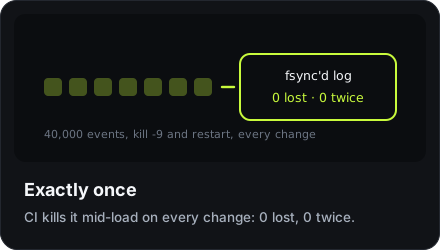
On start the writer replays the log from where the archive left off, and
nothing is counted twice. Without the old wal/ (a lost disk), the restore
ends at the moment the archive was written.
What a backup does not cover
- Nothing outside the data directory — your environment variables, in particular.
- The analytics loaded back are read column by column from the backup's Parquet files. The SQL script an export also carries is never run, because a backup can come from a bucket someone else controls.
- Events that your visitors' browsers had queued and not yet delivered.
Configuration
Every setting is an environment variable, and none of them is required. trckable starts with sensible defaults and generates its own secrets.
Upgrading
Take a backup, pull the new image and start a new container from it. Migrations run forwards and refuse to open a database from the future.