Settings, every option
A reference for every switch in the dashboard: what it changes, what it costs, and what you lose by turning it off.
Settings are per site. Everything that belongs to the person or the instance rather than to one site (the list of sites, API keys, people, your password) is in the account dialog, under your picture. Every setting is free; there is no plan that unlocks anything.
The sections are grouped: This site (General, Install, Modules, Sharing), Money (Payments), Data (Search Console, Data & privacy, Alerts) and Instance (Health). A viewer sees every section as it is and changes nothing.
General
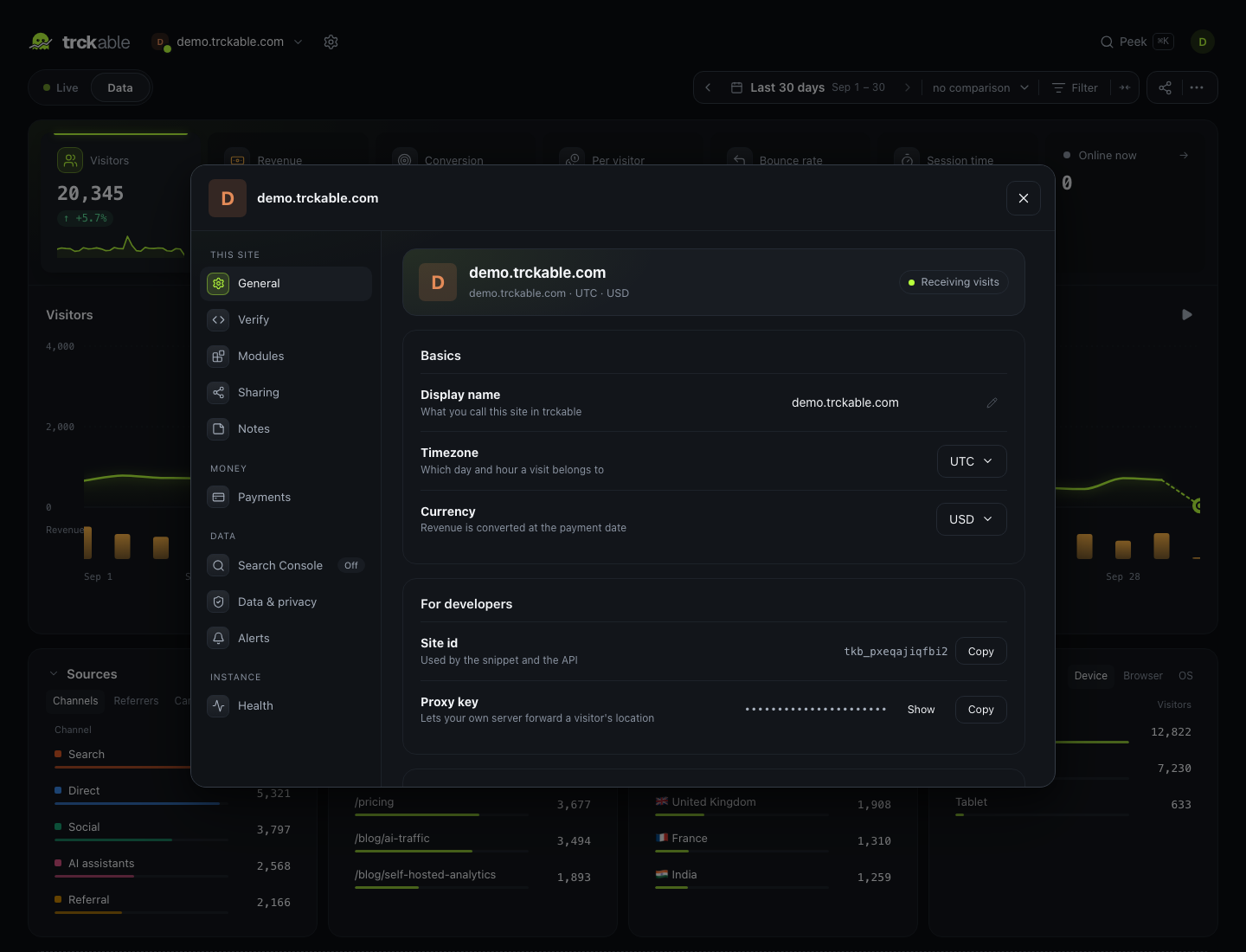
The top line shows the site's icon, its domain, timezone and currency, and its state: Receiving visits, No visits in the last day, Stopped or Not installed yet.
Basics
| Option | |
|---|---|
| Display name | What you call the site in trckable. Edited in place: click it, type, and it is saved |
| Timezone | Which day and hour a visit belongs to |
| Currency | What revenue is shown in. Payments are converted at the rate on the day they happened |
For developers
| Option | |
|---|---|
| Site id | Used by the snippet and the API. Copy it from here |
| Proxy key | Lets your own server forward a visitor's location. It is a credential, so the server sends it to owners only; a viewer sees "Owners only" |
Look
How the site shows up inside trckable: the site picker, All sites and the header. Visitors never see it.
| Option | |
|---|---|
| Icon | Use its favicon fetches it from the site. Upload takes a PNG, JPEG, WebP, GIF or ICO, and you crop it to a square before it is saved. Remove goes back to the site's letter |
| Colour | The site's letter and marks, when it has no icon. Pick a swatch or any other colour, or None |
Reports
| Option | Default | |
|---|---|---|
| Week starts on | Monday | Monday or Sunday. Weekly charts, This week and Last week, the calendar in the date picker and the weekly report all start on this day |
| Sections | — | Content groups, one rule per line: Blog = /blog/*. The first rule that matches wins, so put the narrow ones first. They appear as a Sections card in Full mode |
Delete this site
Owners only, in two steps. The first lists what goes with the site, in real counts: events, visits, payments, payment connections, share links and widgets, plus its settings, modules, verification and look. You type the domain to continue. The second step is a button you hold down.
There is no undo. Backups made before the deletion still hold the site until they age out. Payment providers keep the webhooks they were given; remove those at the provider.
Install
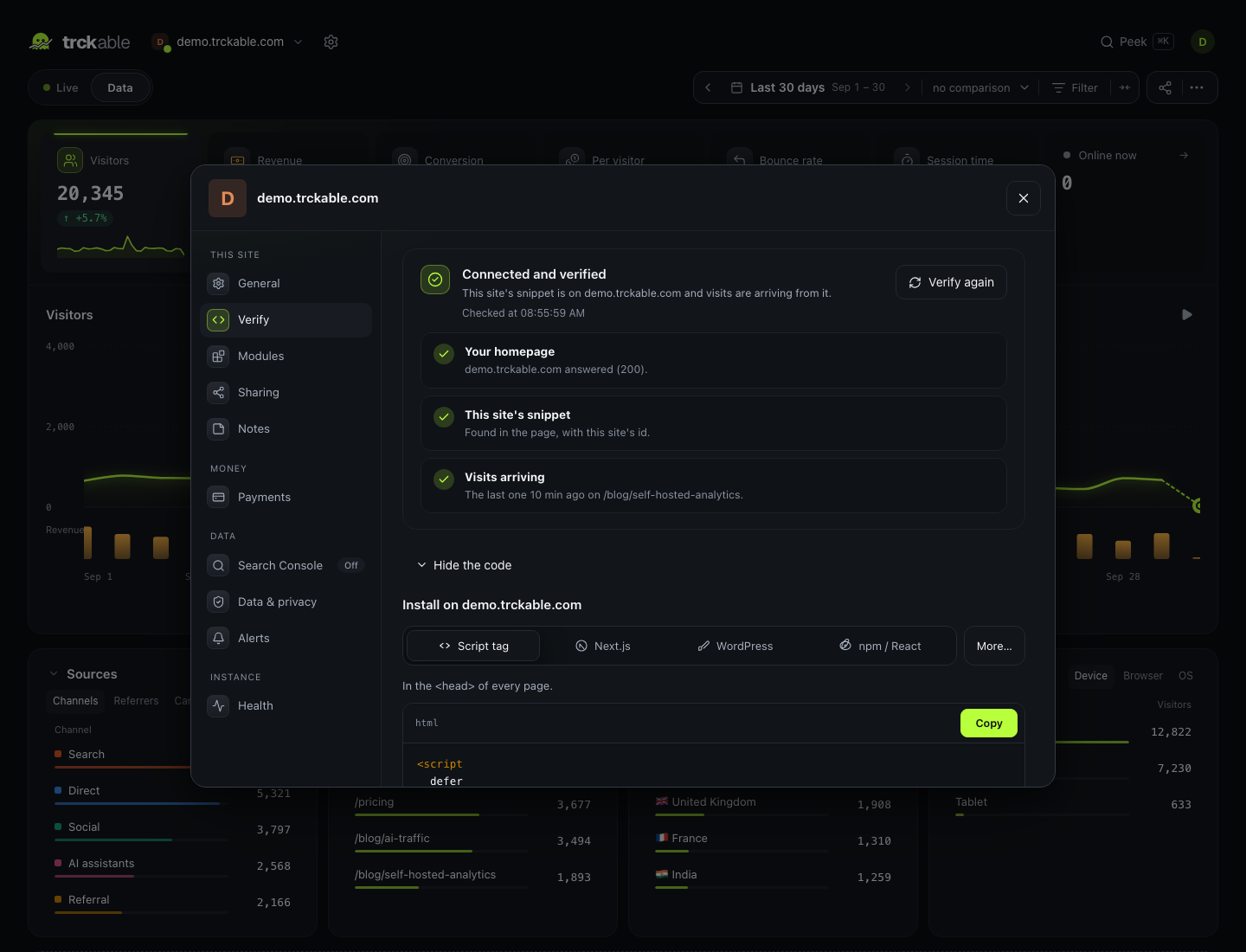
Until the first visit arrives, this tab is the install card: your site's own snippet, with tiles for a script tag, Next.js and React, and Other ways to install for the rest (Vue, Svelte, Astro, WordPress, Shopify, a proxy on your own domain, a server and many more).
Verify
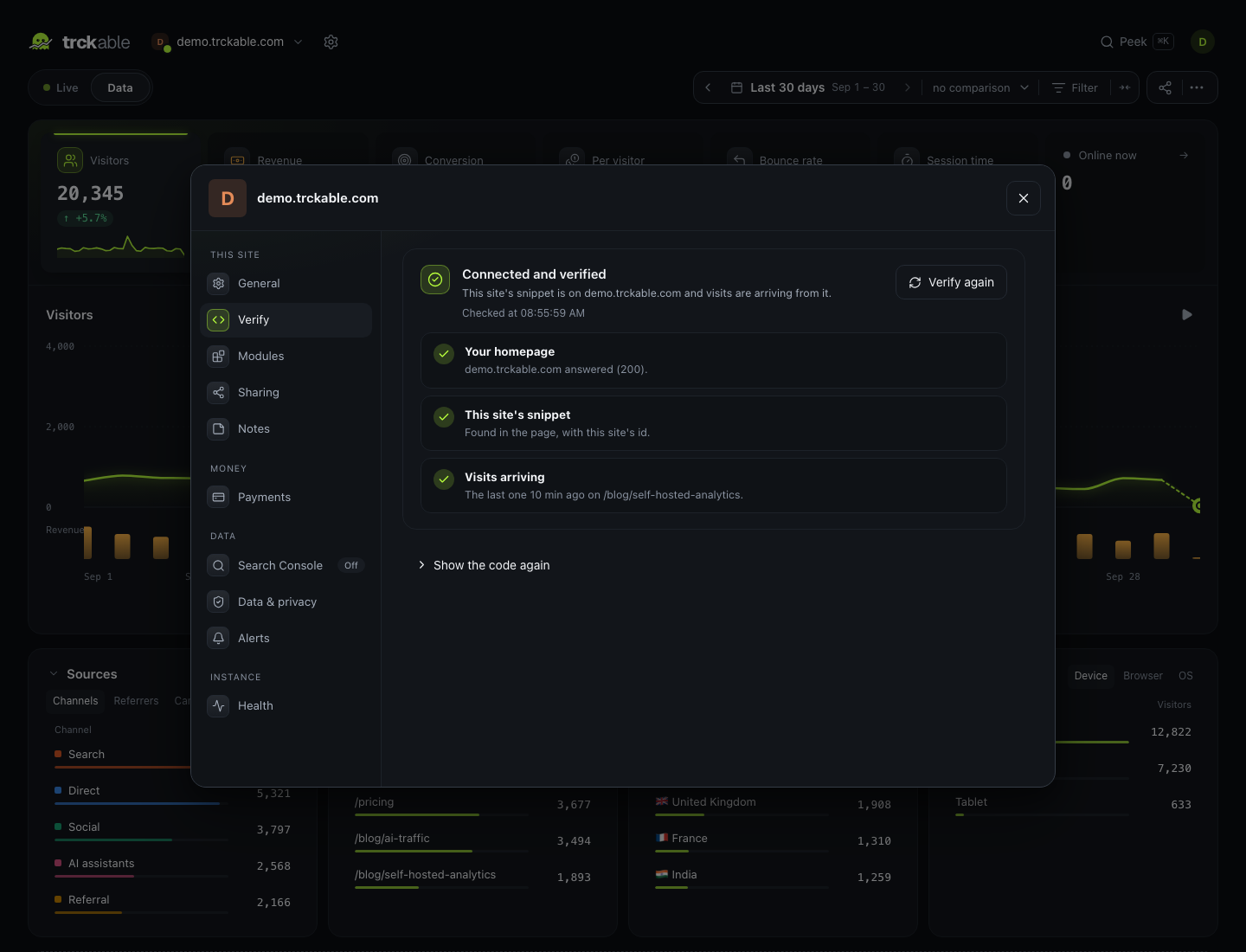
Once visits arrive, the tab is called Verify, and it checks the install
from the outside. The server loads https://<your domain>/ and looks for this
site's id in the page. When the id is not in the page, it reads up to 20 of
the scripts the page links to (the site's own first, where a bundle lives)
and stops at the first one that carries it. Then it asks for the latest visit
it recorded.
The result is three lines:
| Line | |
|---|---|
| Your homepage | Whether it answered, and with which status |
| This site's snippet | Found in the page, found in a script the page loads (it names the script), not found, or found with another site's id |
| Visits arriving | When the last visit arrived, and on which page. A warning when there has been none in the last day |
Only the snippet line can verify the install. Verify again runs the check on demand, and Show the code again opens the install card below it. The check reads public pages only, with plain GET requests, and it cannot be pointed at the server's own machine or its private network.
The server also runs the same check for every site once a day, the first time five minutes after it starts.
Stopped
A site is Stopped when no visit has arrived in the last day, and the most recent check, made after that last visit, did not find the site's id. The site picker and the General tab say so, and the site's dashboard shows a notice with the reason from that check: the domain did not answer, another site's snippet is on the page, or the snippet is not on the homepage.
Stopping deletes nothing. Everything recorded before is kept, and the chart shows the gap.
Modules
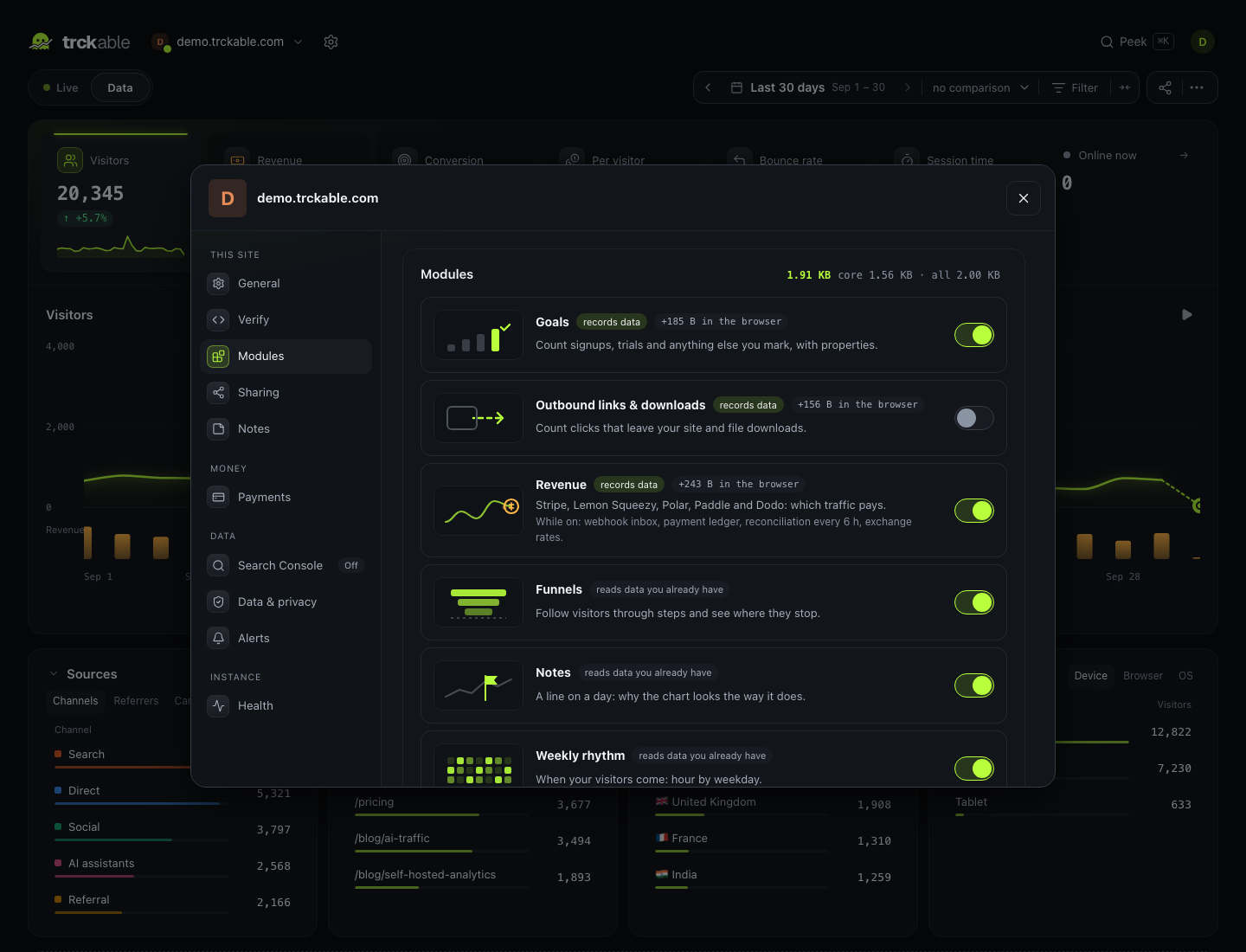
A module that is off costs nothing: no bytes in the browser, no work on the server, no chunk in the dashboard. The header shows what this site's visitors actually download.
| Module | In the browser | |
|---|---|---|
| Goals | +185 B | Signups, trials and anything you mark, with properties |
| Outbound links & downloads | +156 B | Clicks that leave your site, and files |
| Revenue | +243 B | Stripe, Lemon Squeezy, Polar, Paddle, Dodo |
| Funnels | — | Follow visitors through steps and see where they stop |
| Weekly rhythm | — | Hour by weekday |
| Journeys | — | One visitor's whole history |
| Map | — | Visitors on a world map; the map file loads only when you open it |
| Retention | — | Of the people who first came in a week, how many came back |
| Core Web Vitals | +225 B | How fast your pages feel, measured by real browsers |
| Cookie consent | +325 B or +1,026 B | Ask first: read your consent manager (325 B), or show trckable's own bar (1,026 B) |
| Form submissions | +114 B | Every form people send, as a goal |
| AI crawlers & bots | — | Robots, reported by your own server |
| Search Console | — | The Google searches that showed your site, from your own Search Console |
Turning a recording module off leaves a permanent gap — the days in between will have no data, and the confirmation says so. Turning a reading module off only hides a view, and can be undone freely.
Cookie consent is one module with two ways of asking, chosen in Data & privacy. The browser downloads only the one you picked.
Payments belongs to the Revenue module, and the Search Console section to the Search Console module. While its module is off, the section says so and offers to turn it on.
:::note Modules are chosen by the server for script-tag installs and reach visitors within the hour. An app that bundles the tracker through npm picks the change up on its next deploy. :::
Sharing
Two ways to show this site's numbers to people without an account: a link to the dashboard, and a small widget for your own pages.
Share links
A read-only link to this one site's dashboard. Only owners see and make them.
| Option | |
|---|---|
| What to call it | A name for the list, up to 60 characters |
| Password | Optional. Worth setting if the link might be forwarded |
| Ends after | No end date, 7 days, 30 days, 90 days or a year |
| Revenue | Off by default. Off means the server never puts the figure in the answer, not that the page hides it |
| Allow embedding on | The sites that may show the dashboard in an iframe. Up to five |
The link is shown once: trckable keeps only a hash of it, as with an API key. The list shows how often each link was opened and when it ends. Revoke stops it at once, including for anyone who has it open.
Embedding a dashboard
A share link can be shown inside another site's page: a public numbers page, a
client portal, your own admin. When you make the link, list the sites under
Allow embedding on (like https://example.com), then paste the iframe the
next step shows:
<iframe src="https://stats.example.com/s/…?embed=1" title="example.com analytics" loading="lazy"
style="width: 100%; height: 1300px; border: 0;"></iframe>- Only the sites you listed can frame it: every other page of trckable, and every link without that list, refuses to be framed at all.
- The embed shows the site's name and a small credit instead of the usual header, and it is read-only like any share link. A password still asks once.
- Browsers do not send cookies into an iframe on someone else's site, so an embed keeps its session in the page's memory instead. Nothing is stored in the visitor's browser.
- Revoking the link empties every page it is embedded on.
Widgets
A small card with live numbers, for your own pages. Pick a design, see it with the site's real numbers, and copy one line of HTML. Only the numbers the design shows are public.
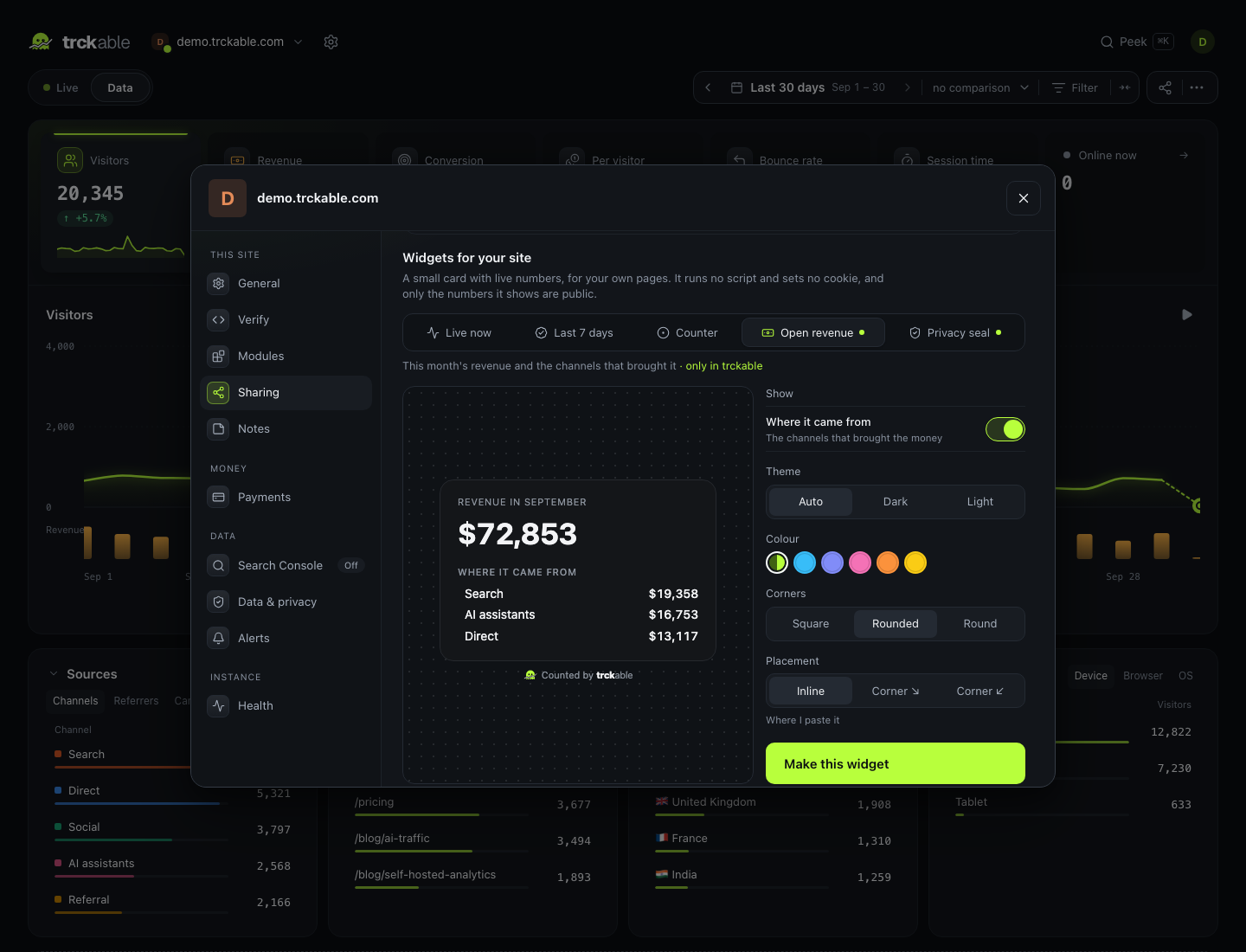
| Design | Shows | Parts you can add or leave out |
|---|---|---|
| Live now | Visitors in the last 30 minutes | Minute by minute (thirty bars, with the time and count on hover), Where from (the top three countries), Came from (the top three channels), Reading now (the top three pages; their paths become public) |
| Last 7 days | Visitors in the last seven days | Share from AI assistants |
| Counter | Visitors in the last 30 minutes, in one line | — |
| Open revenue | This month's revenue, in the site's currency | Where it came from (the channels that brought the money) |
| Privacy seal | What this site records, read from its settings | — |
A new Live now card starts with the bars and the countries; a new Open revenue card starts with its channels.
| Option | |
|---|---|
| Theme | Auto (follows the visitor's system), Dark or Light |
| Colour | trckable's own, or one of five others |
| Corners | Square, Rounded or Round |
| Placement | Inline, where you paste it, or floating in the bottom right or bottom left corner |
The snippet is an iframe sized for the design. A floating widget is the same
iframe inside a div with a fixed position, 16 px from the corner; it still
runs no script. The copy button in Your widgets gives the inline version.
The widget's page, /w/{id}, is HTML and CSS only:
- It runs no script and sets no cookie. Its content security policy allows styles and nothing else.
- It refreshes itself every 60 seconds. The numbers are read at most once a minute per site, however many pages show it.
- Showing it is never counted as a visit.
- "Counted by trckable" is always under the card, so a visitor can find out what counted them.
Open revenue is shown only while the Revenue module is on; with it off, the page answers not found. The Privacy seal lines come from the site's own settings at the moment the page is drawn: no IP addresses stored, the cookie (none in cookieless mode, one after consent, or one first-party cookie never used for ads), the location recorded (country, or country and city), Do Not Track when it is honoured, how long visits are kept, and that the data is never sold or used for advertising.
A site can have ten widgets. Each one can be switched off or deleted. A widget that is off or deleted, or belongs to a suspended account, answers with an empty page (404), so the pages that embed it show an empty space. Browsers keep the last page for up to a minute, so it disappears from those pages within about a minute.
Payments
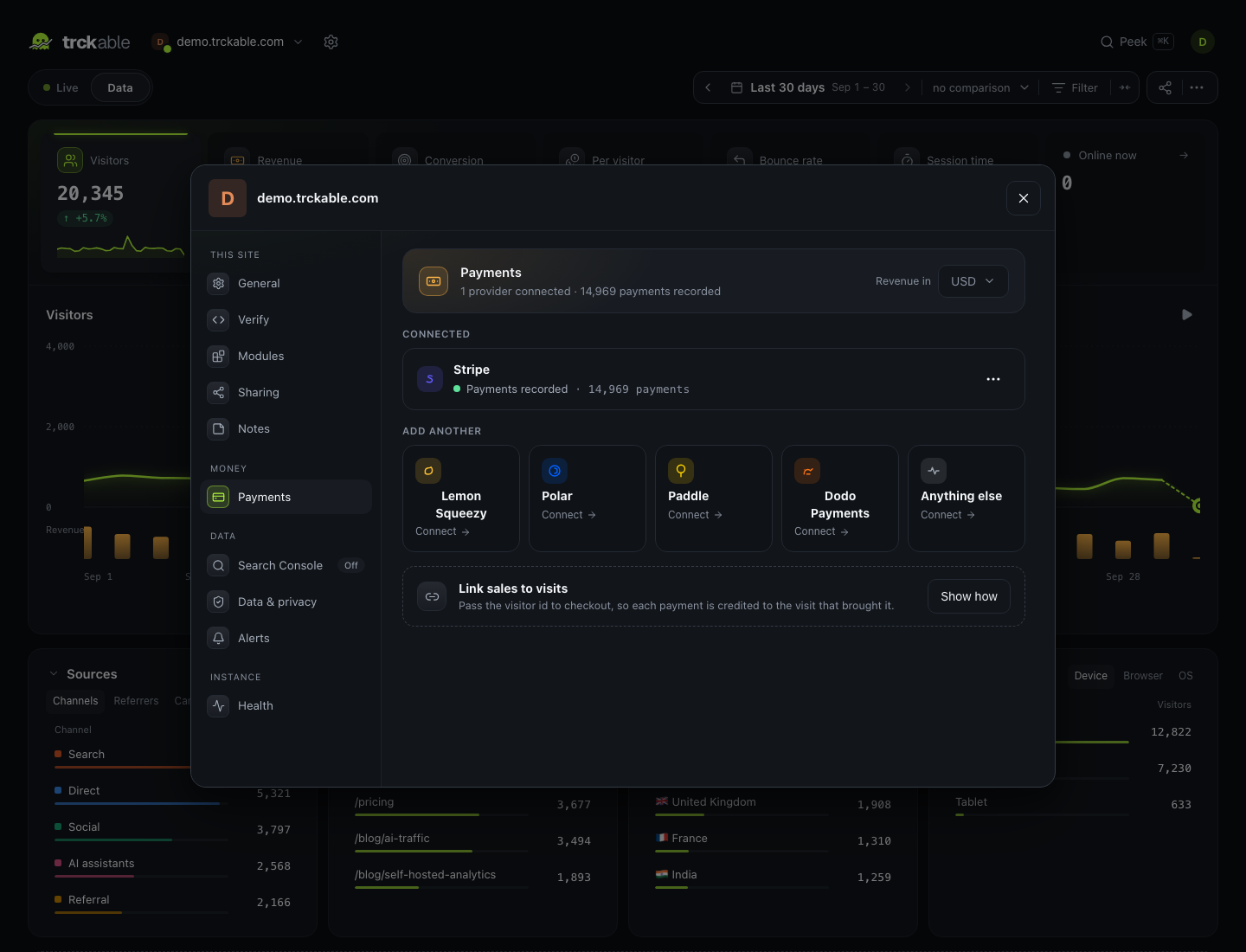
| Option | |
|---|---|
| Connect | Paste a restricted key (read access, plus webhook endpoints); trckable creates the webhook endpoint |
| Manual setup | The webhook URL and a place to paste the signing secret, if you would rather not share a key |
| Attribution | Last non-direct touch (the default) or first touch |
| Test payments | Look at sandbox money instead of real money |
| Health | When each connection last heard from its provider, and when it last reconciled |
When the saved keys cannot be read
Provider keys and signing secrets are encrypted with the instance key
(TRCKABLE_SECRET, or data/secret.key). If the server starts with a
different key, this tab says the saved provider keys cannot be read. The fix
is to start the server with the original key again.
If that key is gone for good, Start over with this server's key is the way out. It is offered to owners of the instance's own account, and asks for your password. It:
- forgets the provider keys and signing secrets saved with the old key, and the Search Console key;
- keeps every payment already recorded;
- makes the current key the one the data is checked against.
Afterwards, reconnect each provider. Looking someone up by email in a data request will not find payments recorded before the start over.
Data & privacy
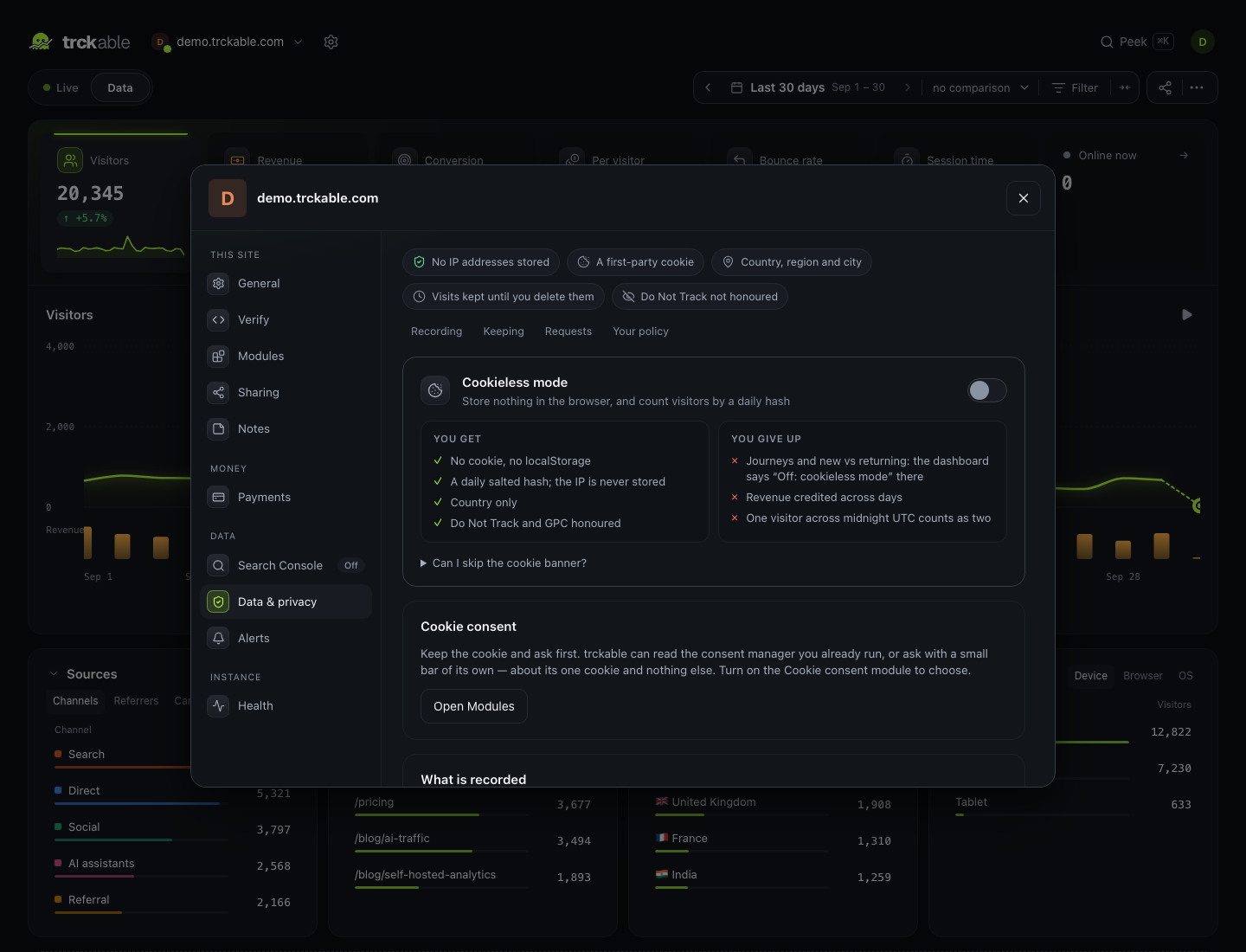
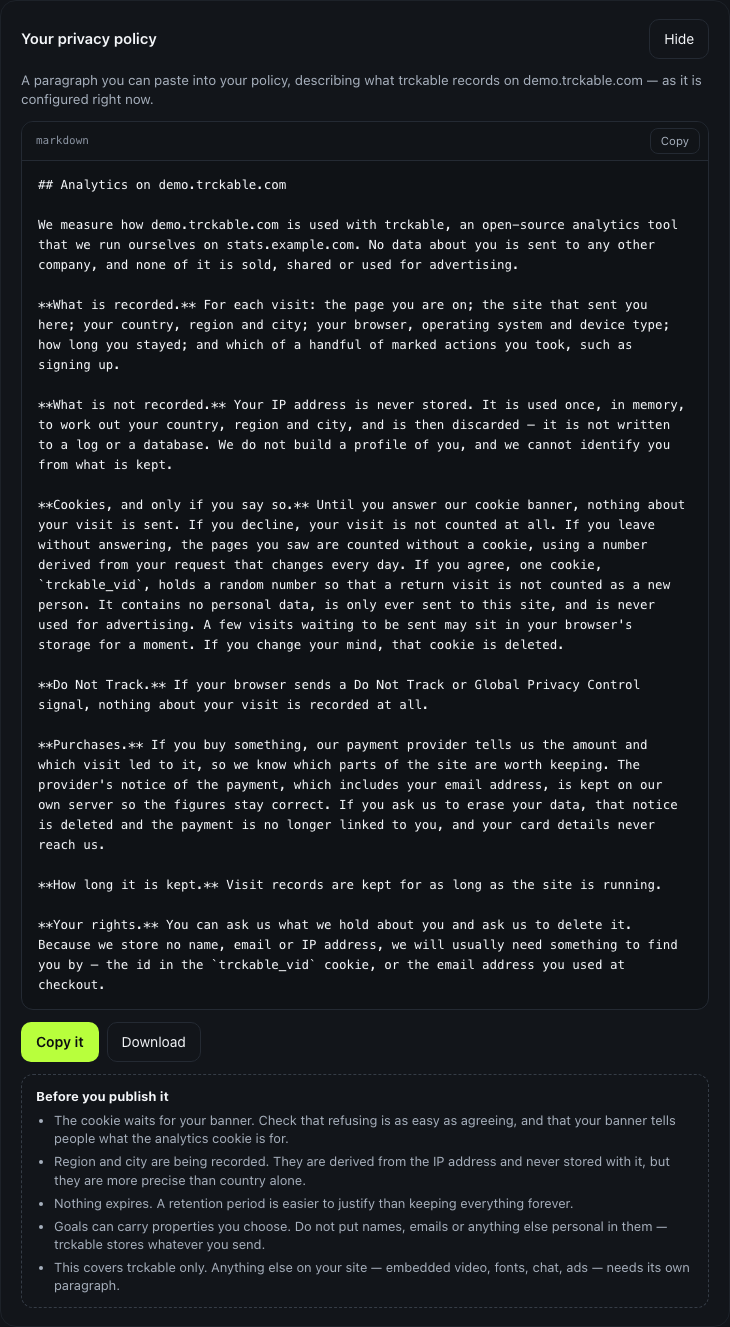
The tab opens with a strip of five facts about what this site records, as it is set right now: no IP addresses stored; the cookie (cookieless, a cookie after consent, or a first-party cookie); the location (country only, or country, region and city); how long visits are kept; and whether Do Not Track is honoured.
Cookieless mode
One card, one switch. With it on, the script stores nothing in the browser, and visitors are counted by a daily salted hash; the IP is never stored. The card lists what you get (no cookie and no localStorage, country only, Do Not Track and GPC honoured) and what you give up: new versus returning beyond one day, revenue credited across days, and one visitor across midnight UTC counts as two, because the hash is made afresh each UTC day. The card shows when that midnight falls in the site's timezone.
Visitors get the smaller, storage-free script within the hour.
What is recorded
| Option | Default | |
|---|---|---|
| Region and city | on | Off keeps the country only: region and city are both dropped. Cities need TRCKABLE_GEO=city on the server; the default database knows countries. Off in cookieless mode |
| Honour DNT and GPC | off | On drops those visits before anything is stored. Always on in cookieless mode |
| Stricter bot filtering | off | Also drops clients that name no browser, and visits from data-centre networks (AWS, Google Cloud, Azure, Hetzner, OVH and other hosting-only providers). Uses DB-IP's network database (about 5 MB), downloaded on first use and refreshed monthly. iCloud Private Relay and consumer VPNs still count |
| Excluded paths | — | One per line. /admin/* skips everything under it. Never recorded, so nothing to delete later |
| Keep visits for | keep everything | 30 days to 3 years. Older visits are deleted daily |
| Data request | — | Find, export or erase everything held about one visitor or email |
Share links, the week's first day and sections used to be here. Share links are now in Sharing; the week and sections are in General → Reports.
Cookie consent
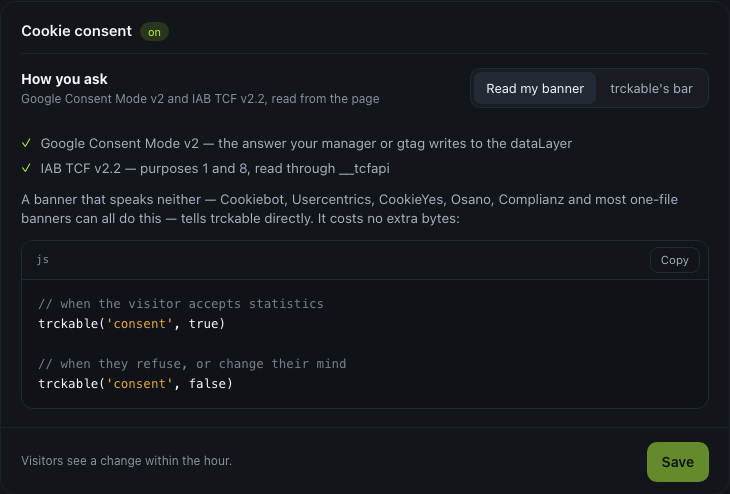
One card, one decision — keep the cookie and ask first — and one choice inside it: Read my banner or trckable's bar.
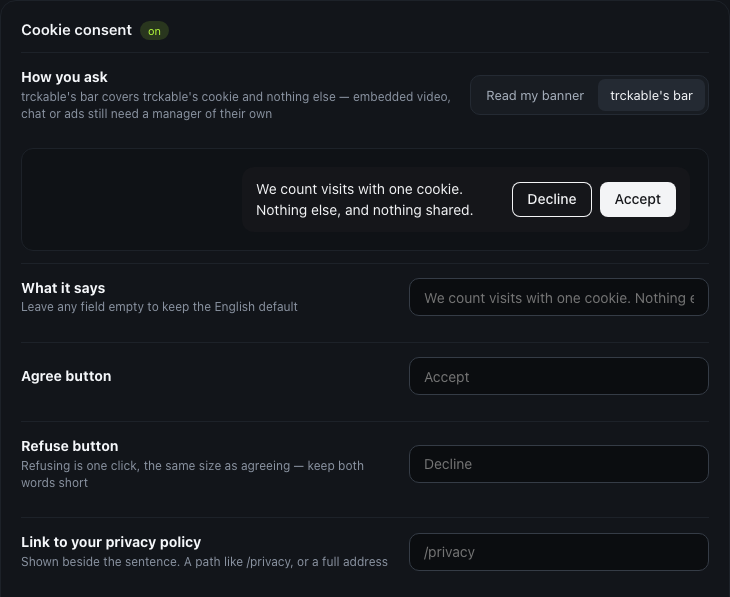
With trckable's bar chosen:
| Option | |
|---|---|
| What it says | Any language. Empty keeps the English default |
| Agree / Refuse | Both words are yours. Refusing stays one click, the same size |
| Privacy link | Shown beside the sentence |
| Colours | Start from Dark or Light, then change any of the four |
| Where it sits | Bottom right, bottom left, or full width |
| Corners | 0 to 40 px |
| Your own CSS | Added inside the shadow root, last, so it wins |
With Read my banner chosen:
Your privacy policy
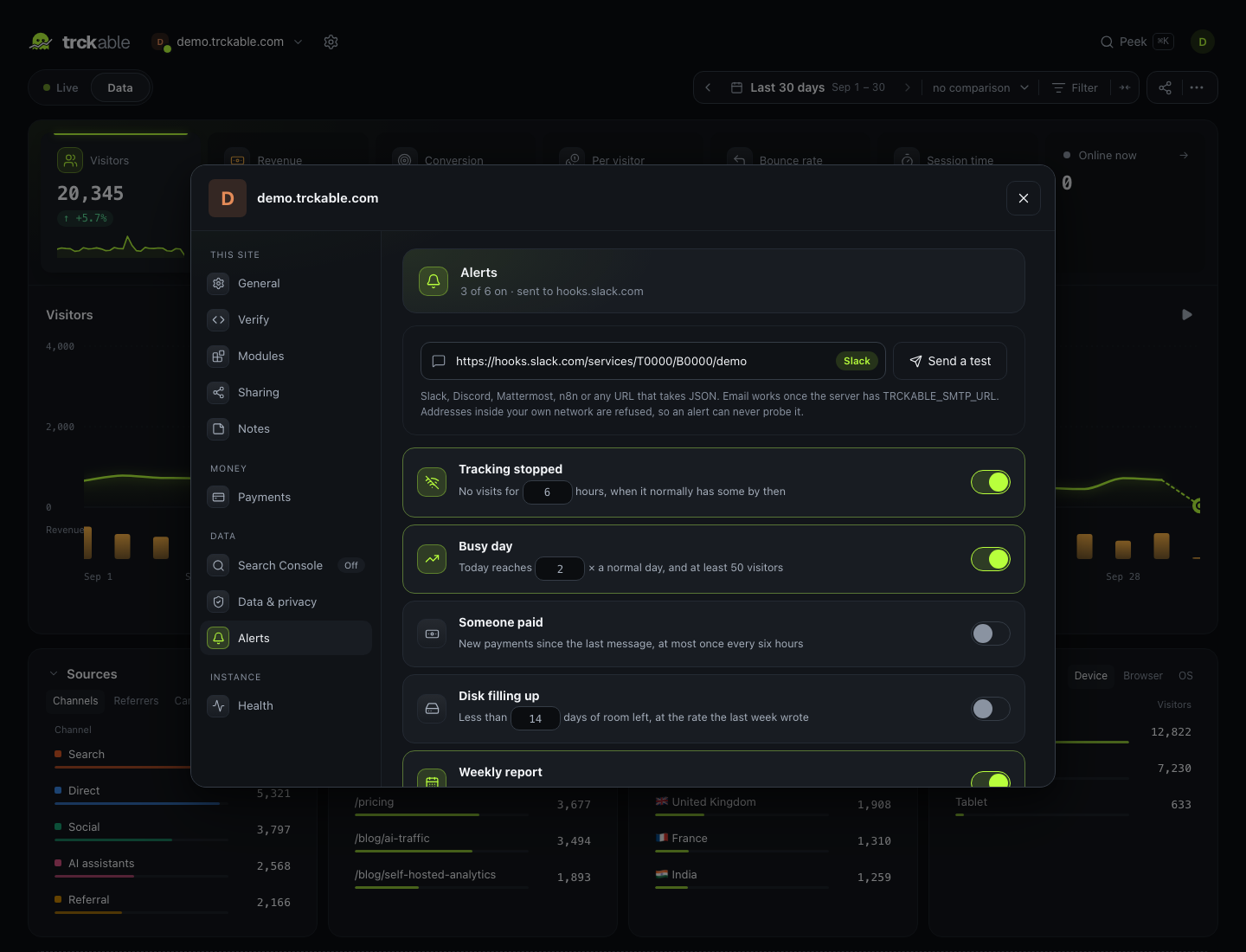
Alerts
Where they go
One destination per site, for all of its alerts; changing it moves the alerts already set up. It can be:
- a Slack, Discord or Mattermost webhook, an n8n webhook, or any other URL that takes JSON;
- an email address, once the server has an SMTP server
(
TRCKABLE_SMTP_URLandTRCKABLE_MAIL_FROM, see Configuration).
A webhook receives JSON with kind, site, domain, title, message, at
and data, plus the same line in text (which Slack and Mattermost show) and
in content (which Discord needs). Addresses inside your own network are
refused, and so is any redirect that leads to one, so an alert can never probe
it.
Send a test sends a test message to the destination and says whether it was delivered, or why not.
What to be told about
| Alert | Fires when | Default |
|---|---|---|
| Tracking stopped | A site that has had visits has none for the number of hours you set | 6 hours |
| Busy day | Today's visitors reach the number of times a normal day you set (the median of the seven days before), and at least 50 visitors | 3× |
| Someone paid | A payment arrived since the last message. Test payments are left out | — |
| Disk filling up | Fewer days of room are left than you set, at the rate the last week wrote | 14 days |
| Weekly report | The site's first day of the week, from 08:00 in the site's timezone | — |
The weekly report covers the week that just ended: visitors against the week
before, pageviews, bounce rate and time per visit, the top three sources and
entry pages, the top goal, and revenue with its change. With
TRCKABLE_BASE_URL set, it ends with a link to the dashboard. It is plain
text, so it reads the same in a chat tool and an inbox. If the server was down
that morning, the report goes out when it is back, for the same week.
Alerts are checked every ten minutes. After an alert is sent, the same one stays quiet for six hours; payments in that time arrive together in the next message.
Health
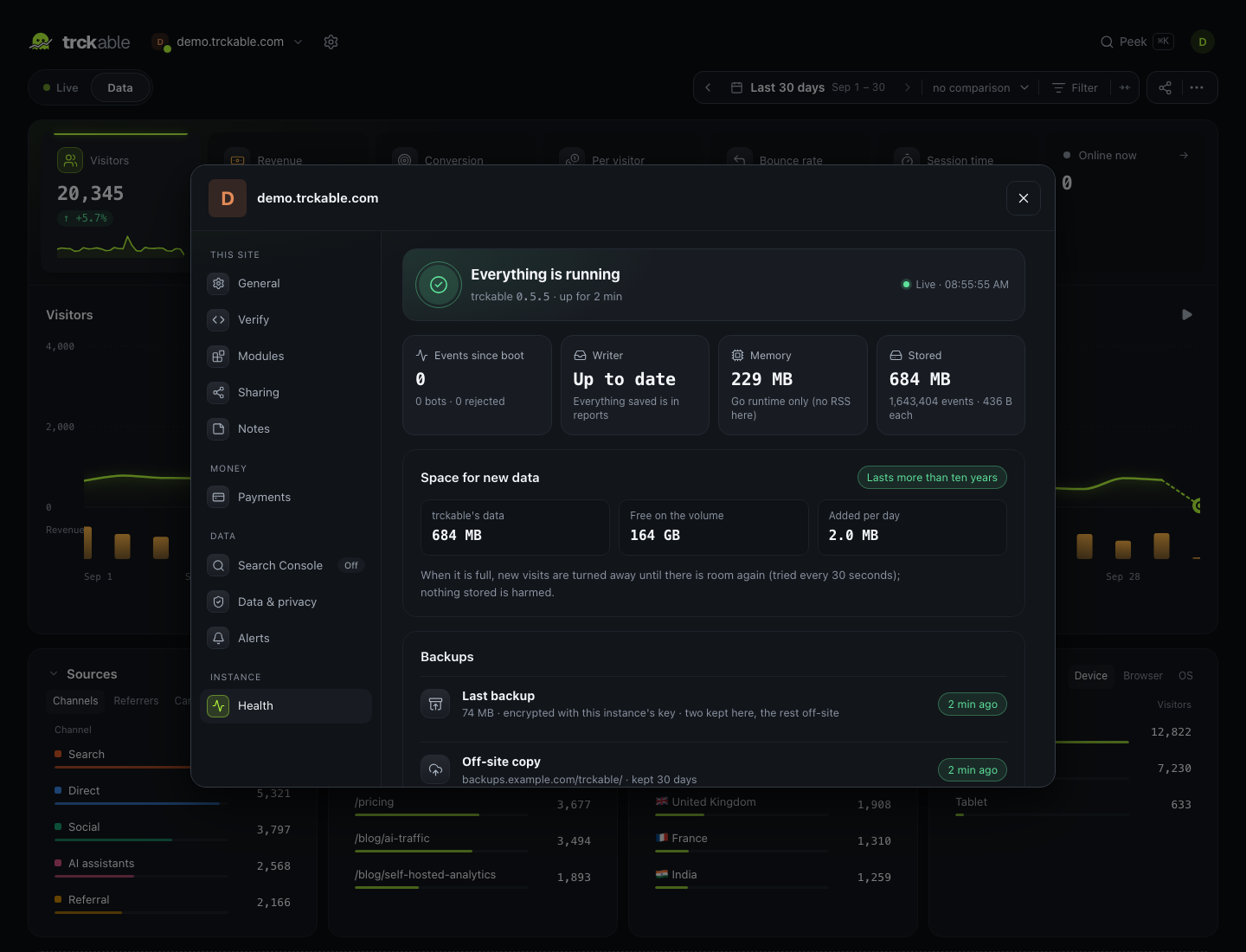
Not settings, but the page that answers "is it working". It is about the whole instance, so it is shown to everyone who signs in. It refreshes itself every 15 seconds.
- The top line: everything running, or what needs a look, with the version and how long the server has been up.
- Events since boot: accepted, bots and rejected.
- Writer: how many events are safe in the log but not yet in reports.
- Memory: the whole process's resident memory, analytics store included, where the server can read it (on Linux). Elsewhere it is the Go runtime's own memory only, and the tile says so.
- Stored: trckable's data on disk, the number of events, and the bytes per event.
- Space for new data: free space on the volume, what is added per day, and how long the space lasts. The rate is the last seven days of stored events.
- Backups: when the last one was written and its size, or when the last one failed and why. The off-site copy: the bucket, how long copies are kept, when the last one arrived, or why the last one failed.
- Payments, once a provider is connected: how many are connected, the last webhook and how many are waiting, and the last reconciliation.
When the disk is full, new visits are turned away until there is room again, and the Space card shows the error. The server tries again every 30 seconds by itself; nothing already stored is harmed.
The same numbers are available to your own monitoring at
GET /_trckable/health, with TRCKABLE_OPERATOR_TOKEN — see
Configuration.
Your account
The account dialog opens from your picture. Its tabs are Sites, API keys and People (owners only), and Account.
| Option | |
|---|---|
| Name and picture | Yours. The picture lives on this server; no avatar service is asked about your email address |
| Password | At least 12 characters. Changing it signs you out everywhere else |
| Two-step sign-in | An authenticator app (RFC 6238), the QR drawn in your browser, and eight recovery codes that work once each. A code signs in once. While it is on, turning it off or moving it to a new phone asks for your password and a current code (or a recovery code), and a new phone replaces the old one only once a code from it is proven |
| Theme | System, dark or light |
| API keys | Only read: a key can never change a setting, a site or a payment. Up to 20. The value is shown once |
People
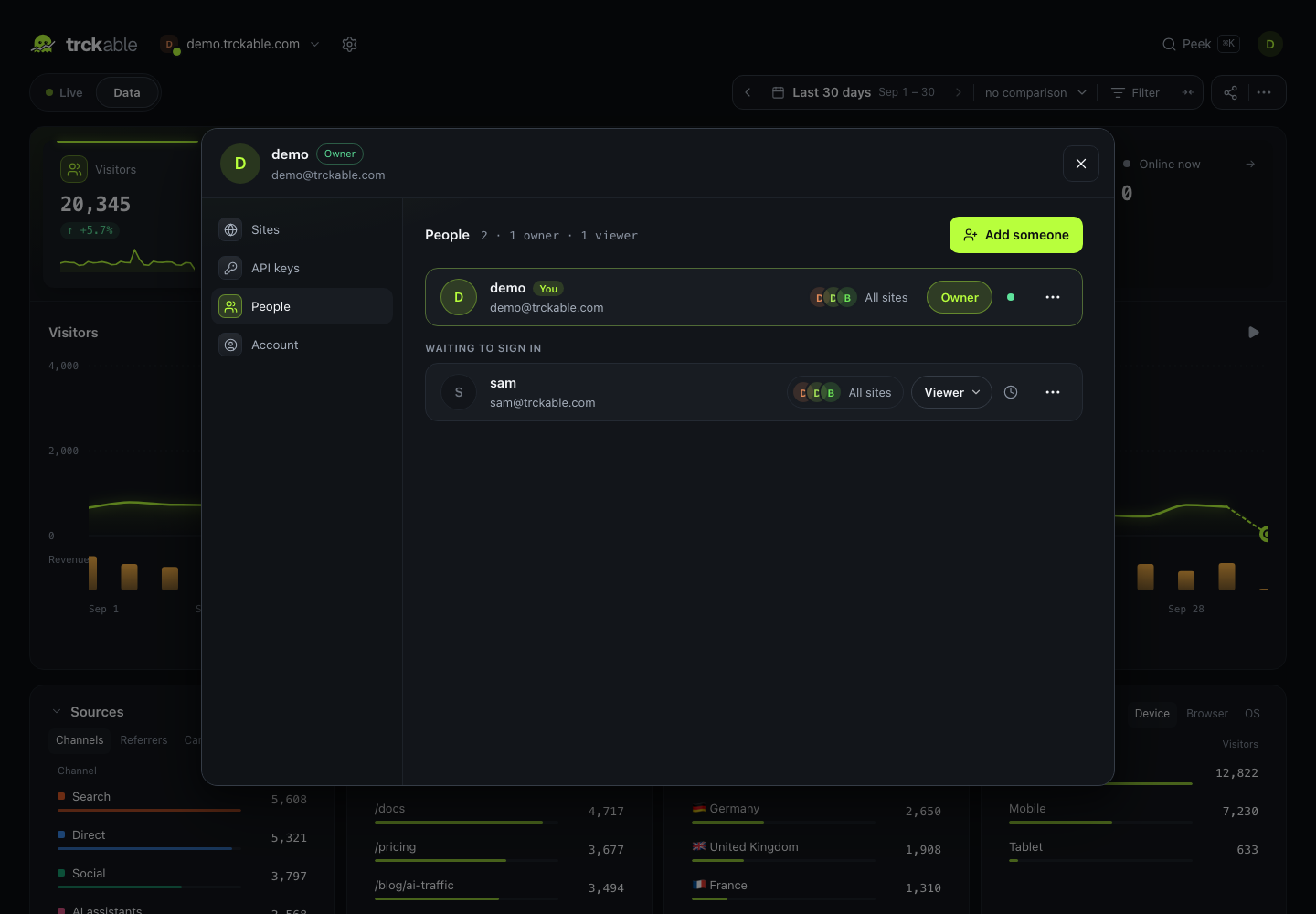
Owners run the instance: sites, payments, people and keys. Viewers read every report and change nothing, except their own account; the server enforces it. Only owners see this tab.
The list shows each person's role, whether they sign in with two-step or a password alone, and when they were last seen. People who have not signed in yet, or have not chosen their own password, are listed under Waiting to sign in.
- Add someone: their email and a role. trckable makes a one-time password for you to pass on; it sends no email. The person must choose their own password before anything else works. The server refuses every other request until they do.
- New sign-in details or Reset password: signs the person out everywhere and gives you a new one-time password for them. It asks for your own password first. It never works on another owner: make them a viewer first, which everyone on the instance can see.
- Turn off two-step: for someone who lost their phone and their recovery codes. They sign in with their password alone, then set two-step up again. It asks for your own password, and does not work on another owner either.
- Make an owner, Make a viewer and Remove. The last owner cannot be removed or made a viewer, because an instance with no owner would be a locked door.
After choosing their own password, a person without two-step is offered to set it up. Someone who already has it (an owner's reset leaves it on) is not asked again.
If no owner can get in, whoever runs the server can:
trckabled admin reset-password <email>   # prints a new password; every session is signed out
trckabled admin disable-2fa <email>      # lost phone, no recovery codes
reset-password never takes the password as an argument: pipe one in on
standard input, or it makes one and prints it.