MCP server
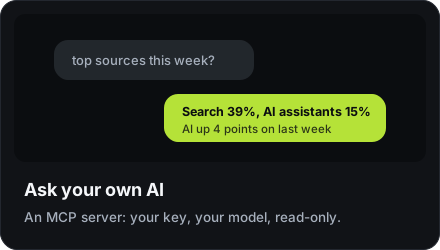
Let your own assistant answer questions from your analytics. Your key, your model, your data — trckable pays for nothing and sends nothing anywhere.
npx trckable mcpIt has no dependencies, and every tool is read-only.
Connecting it
Create a read-only key in your account → API keys, then add the server to your assistant's configuration:
{
  "mcpServers": {
    "trckable": {
      "command": "npx",
      "args": ["-y", "trckable", "mcp"],
      "env": {
        "TRCKABLE_HOST": "https://stats.example.com",
        "TRCKABLE_API_KEY": "tkb_live_…"
      }
    }
  }
}
On trckable Cloud, set TRCKABLE_HOST to https://cloud.trckable.com.
The tools
| Tool | |
|---|---|
trckable_sites | Which sites exist |
trckable_overview | Visitors, pageviews, sessions, bounce, session time, the change against the comparison, and who is online |
trckable_sources | Channels, referrers, campaigns |
trckable_pages | Entry, top and exit pages |
trckable_audience | Countries, devices, browsers |
trckable_goals | Goals and conversion |
trckable_revenue | Money, by any dimension, with the change against the comparison on every row |
trckable_realtime | Who is on the site now |
trckable_milestones | The milestones the site reached, newest first, and the next step of each |
Dates follow each site's timezone. Periods can be relative — today, 7d,
mtd, lastmonth, ytd — or exact from and to dates, with an optional
comparison (the period before, or the same period last year).
Why it is safe to point a model at this
Paths, referrers, UTM parameters and goal properties are written by whoever visits your site. That makes them attacker-controlled text, and an assistant reading them is exactly the situation prompt injection was invented for.
Two things make it safe rather than hopeful:
- Every tool is read-only. There is no write path to abuse, so the worst a poisoned referrer can achieve is a wrong sentence.
- Tool results are fenced as untrusted data, with a nonce, so text that looks like an instruction is presented as what it is: a row from your database.
The model never writes SQL and never chooses which site it can see. The server enforces scoping, not the prompt.
Asking inside trckable
Peek is the panel in the dashboard (press ⌘K and pick Ask Peek, the
first row). Owners have it; viewers do not.
- On trckable Cloud it is an assistant that answers in words: ask "Which source brought the most revenue?" and read the answer. It is global, across all your sites, with nothing to pick, and it runs the same read-only tools in your own session, so an answer only ever uses sites you may read. Each question you type counts toward the plan's allowance, however many reports it reads. It can also change the view for you (period, filter, mode, open a site) and propose a goal, a funnel or a saved view that you create with a click; see Peek on Cloud. The MCP server above stays read-only.
- On a server you run yourself it is the way in for your own AI: the panel shows the config to paste into your assistant, a link to this page and a button that takes you to API keys to make a read-only one. There is no model inside your server, so nothing is sent anywhere until you connect an assistant yourself; the MCP server above works with any you already use.